![knowledge-base-header-bcn3d-logo.png]](https://support.bcn3d.com/hs-fs/hubfs/Knowledge%20base/Header/knowledge-base-header-bcn3d-logo.png?height=40&name=knowledge-base-header-bcn3d-logo.png)
If the board has short-circuited, it must be replaced with a new one, otherwise the printer will be inoperative.
 This is an advanced repair article. This guide is designed to be performed with the authorization and assistance of the BCN3D support team or authorized distributors.
Without the necessary knowledge, you could cause damage to the printer during repair and invalidate the warranty.
If you have any questions or problems please contact the support team: omega-assistance@bcn3d.com
| Tools | |
 |
Allen key 4.0mm |
|
|
Attention! Electrical Hazard It's very important to turn off and disconnect the printer to avoid any risk of electrocution or damage to the printer. |

1. Remove the side panel.
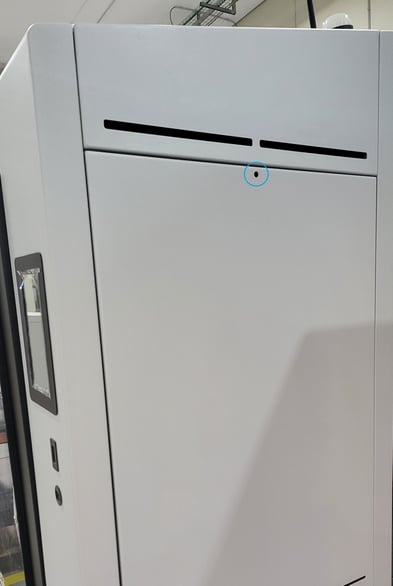
Remove the side panel of the printer to have access to the printer electronics. To do this, use an Allen wrench to remove the screw that holds the panel in place.
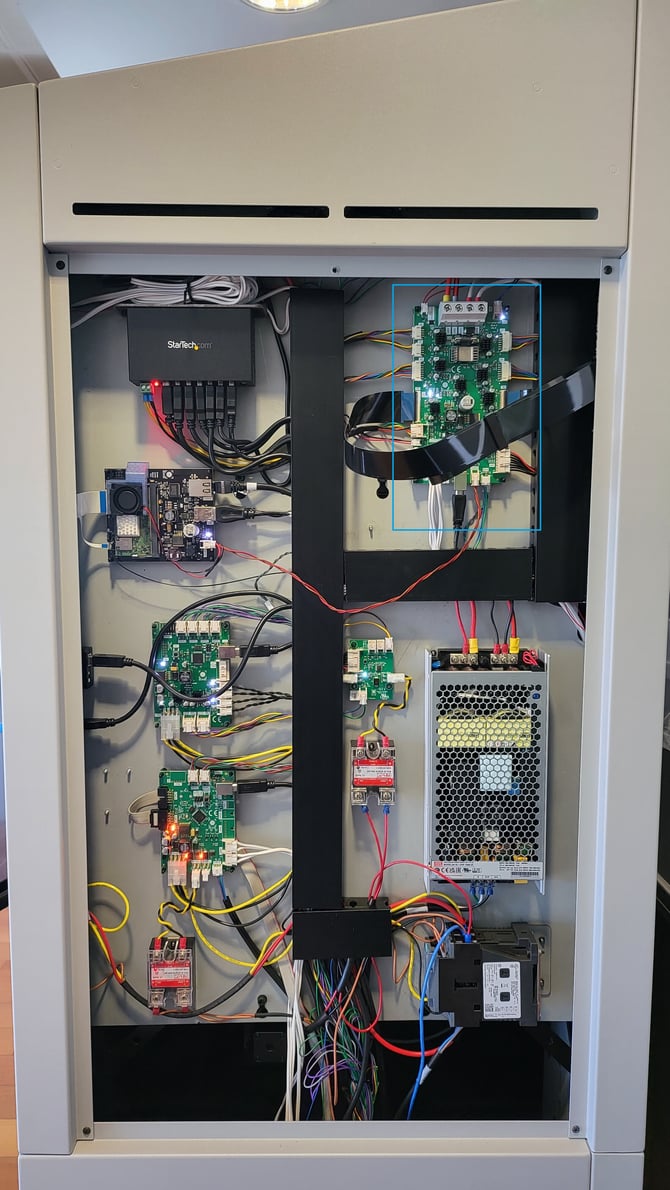
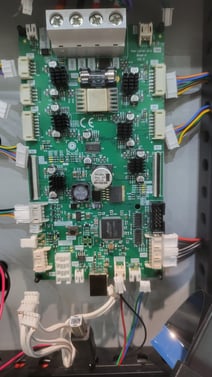
 With the panel removed, locate the peripheral board. You can use this photo as a reference of the connections on the board to remember which port each cable is connected to. Alternatively, you can mark the connections.
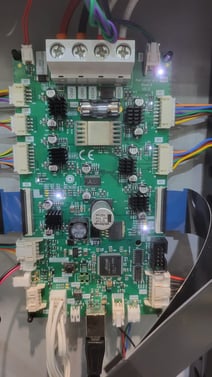
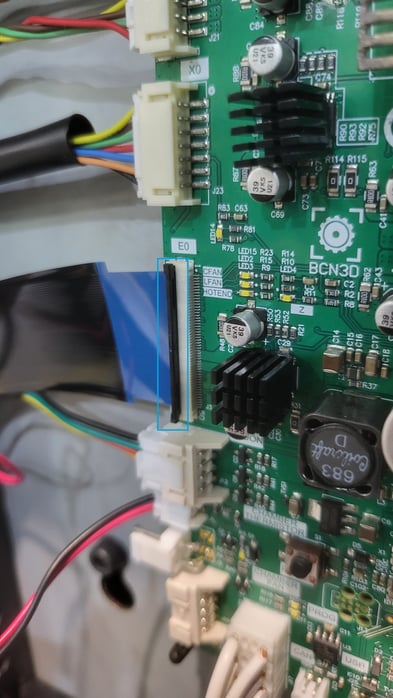
Be particularly careful when removing the flat cables. Before disconnecting the cable, lift the black clip to release the cable, then disconnect it.
2. Disconnect the cables.
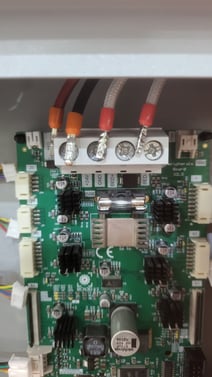
Check that all cables are disconnected, including the 4 crimped cables that are screwed to the top of the board.
3. Remove the Peripherals board.
Press the tabs on each of the latches that hold the peripherals in place. The board should be removed easily.
.jpg?width=670&height=1190&name=20240527_122924%20(1).jpg)
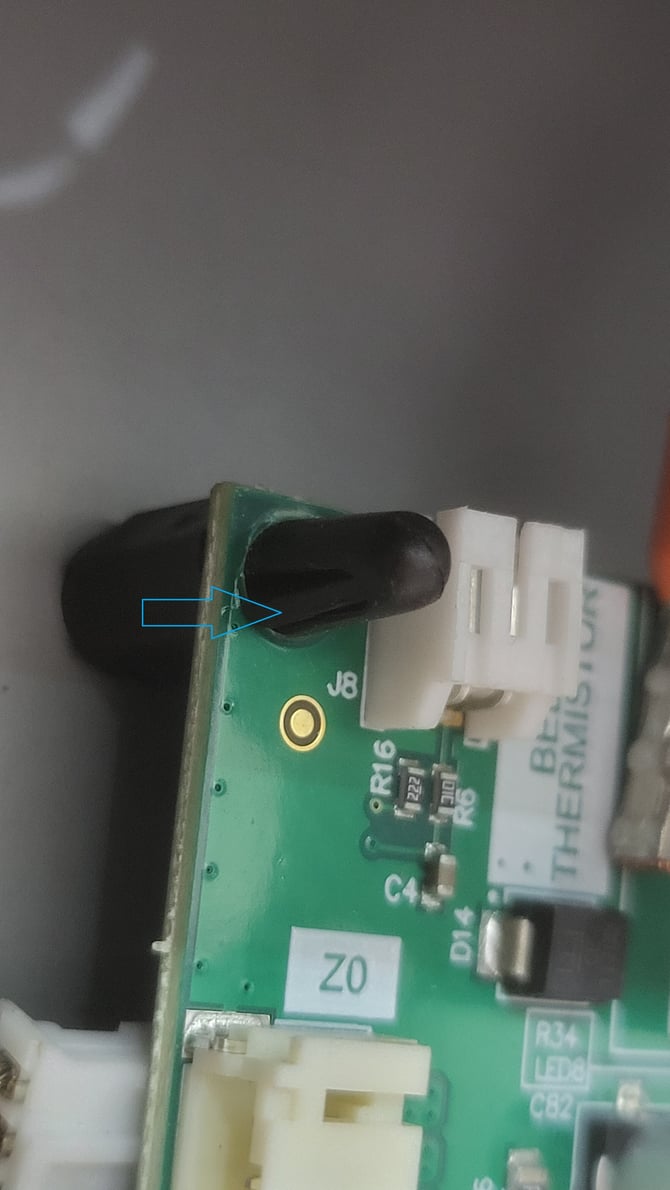
4. Install the new board and reconnect the cables.
Install the new board and reconnect the cables as shown in the first step, paying special attention and making sure that all cables are well connected.
5. Confirm installation
Switch on the printer to confirm that the component has been properly installed. Then go to the Printer Set-up menu and Preheat the print heads and printing platform to make sure they are properly working.
Finally, to confirm that the print heads and platform are moving correctly. Go back to the printer setup menu, access to Build plate and perform a move.
In case of doubt or failure, please contact our support department.
omega-assistance@bcn3d.com