![knowledge-base-header-bcn3d-logo.png]](https://support.bcn3d.com/hs-fs/hubfs/Knowledge%20base/Header/knowledge-base-header-bcn3d-logo.png?height=40&name=knowledge-base-header-bcn3d-logo.png)
Nozzle tip
The Omega's nozzle tip is interchangeable, which means that if it is not properly tightened after replacement, it can become loose, causing reading and printing problems.
|
|
Attention! Hot Surface It's very important to manipulate the component carefully to avoid possible skin burns. |

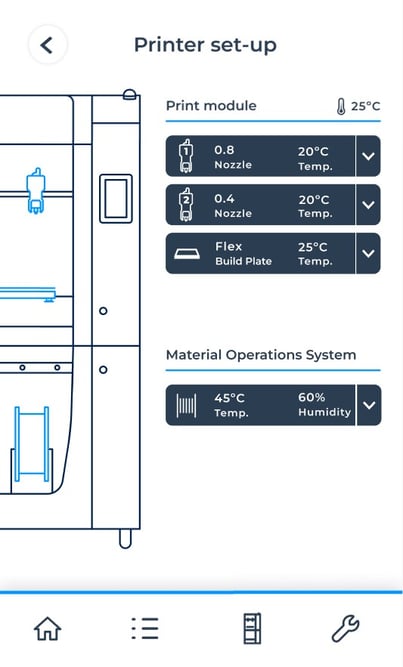
It is very important to ensure that the nozzle tip is not hot! To avoid any damage, go to 'Printer Setup' and ensure that the hotend temperature is in resting mode (approximately 20°C).
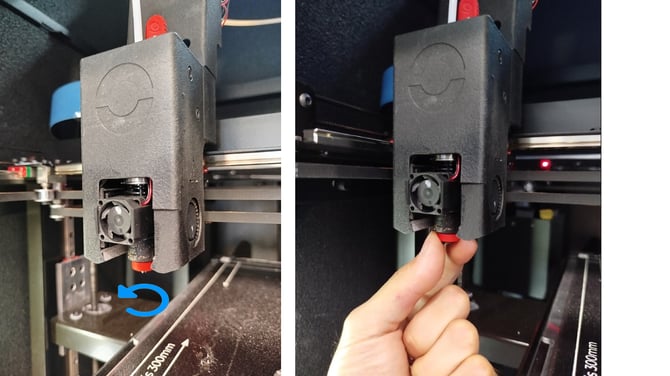
You can then turn the printer off and tighten the nozzle tip anticlockwise.
You can remove the hotend tip sock to have better grip when tightening.
Flatness
If the customer is unable to achieve good flatness through the printer routines and thumbscrews, there may be a mechanical issue causing this problem. Ensure that the build plate is properly aligned with the Z motor on both sides.
This can cause issues like first-layer adhesion issues, not being able to perform a build plate levelling, and mesh mapping error.
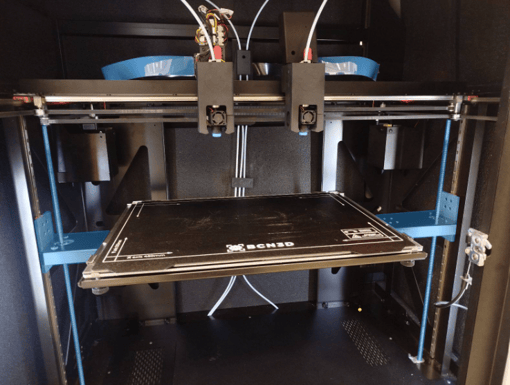
Follow this article for help with the process.
How to adjust the Z motor height (Omega I60)
Pulleys
Ensure that the two tensor pulleys are aligned with the two motor pulleys.
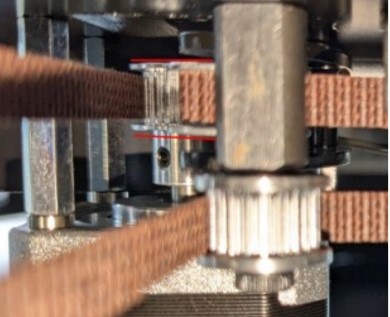
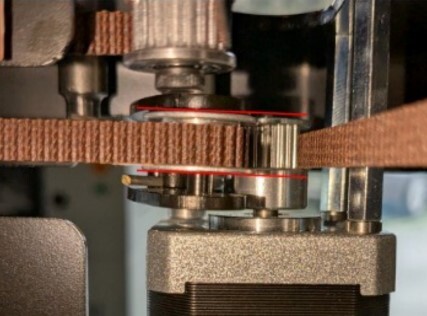
They must be perfectly aligned and should not be loose or bent. There may be belt residue on the pulley, as it is a component that will eventually wear over time.
If you are unsure about its condition, you can send a photo to support@bcn3d.com for further assessment.
Axes
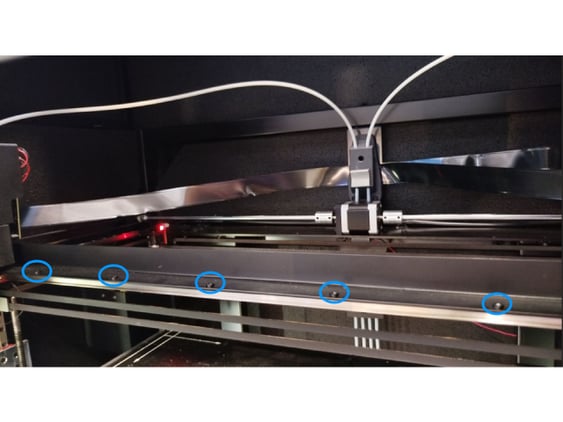
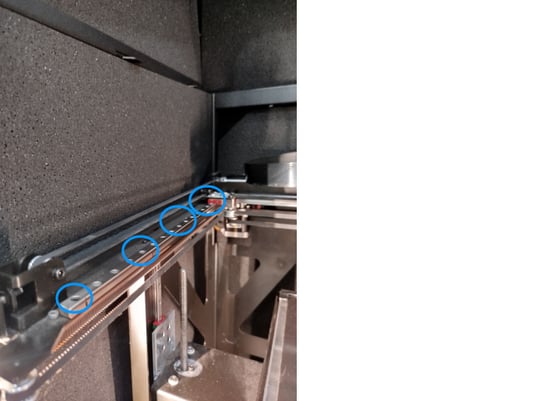
If the device is experiencing motion issues, first make sure that the screws on both the X and Y axes are properly tightened. Also check the pulley screws and, most importantly, the printhead screws.