![knowledge-base-header-bcn3d-logo.png]](https://support.bcn3d.com/hs-fs/hubfs/Knowledge%20base/Header/knowledge-base-header-bcn3d-logo.png?height=40&name=knowledge-base-header-bcn3d-logo.png)
| Tools | |
 |
Allen key 2.5 mm |
Before changing the cables, there are a few things to take into consideration:
1- Both cables are the same model, the only difference is that the right head cable has a bent, 13cm into the blue part of the cable. If your cable isn't already bent, you can bend it manually before moving forward.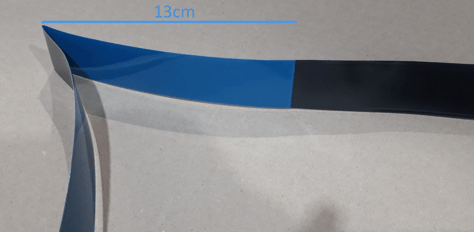
2- The cable has two ends, one without a plastic connector (left), which is connected to the peripherals board, and one with a plastic connector (right) which is connected to the printing head.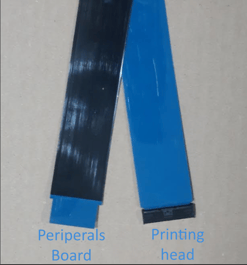
 |
Attention! Electrical Hazard It's very important to turn off and disconnect the printer to avoid short circuits or any risk of electrocution. |
3- In order to change the cables, turn off the printer and unplug the power cable./Turn%20off%20and%20unplug%20(Omega).jpg?width=371&height=211&name=Turn%20off%20and%20unplug%20(Omega).jpg)
4- Once that's done, remove the side cover of the printer to access the electronics, by removing the upper screw using an Allen wrench.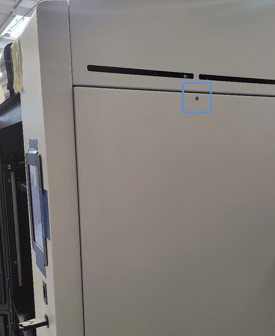
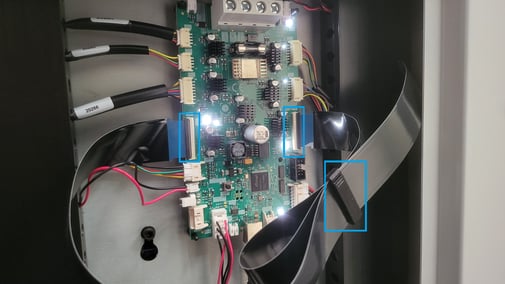
5- Once the cover has been removed you can unplug both flat cables. Make sure to keep the plastic clip that holds both cables together, so you can put it back in place, once the new cables are installed.
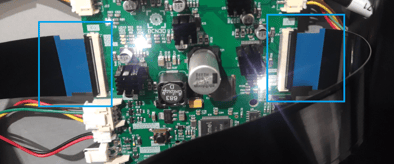
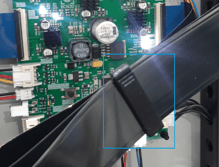
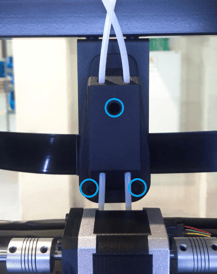
6- Follow the path of the cables and remove them from the passing hole, located in the rear/centre of the printer. Make sure to slightly loosen the three screws marked below, using an Allen wrench. Once these are loose, you can remove the cables and manually unplug them from the printing head.
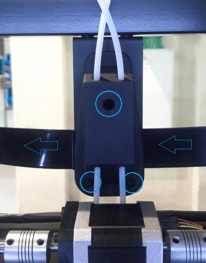
There's no need to remove the rear panel of the printer in order to replace the cables.
7- Once the cables have been removed, install the left cable, by connecting it to the printing head, then passing it through the passing hole/cable holder, and into the peripherals board.
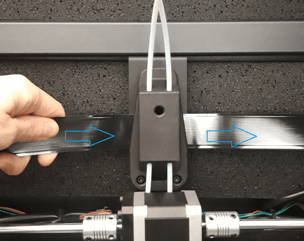
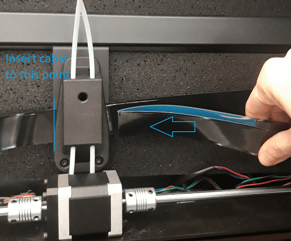
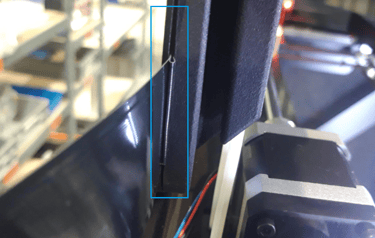
8- Do the same with the right cable. The bent side of the cable should be inserted all the way through so that the edge can be seen from the opposite side, as shown below:
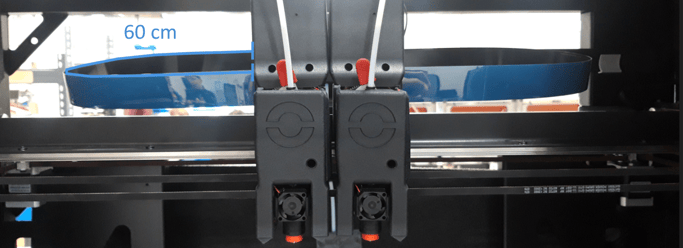
9- Make sure there's enough cable length from the printing head to the cable holder in order to ensure the printer can move correctly (approx. 60cm from the printing head connection to the cable holder:
10- Once the cables are positioned correctly in the cable holder, tighten the 3 screws.
11- Connect the cables in the peripherals board, and install the black clip to hold them together.