![knowledge-base-header-bcn3d-logo.png]](https://support.bcn3d.com/hs-fs/hubfs/Knowledge%20base/Header/knowledge-base-header-bcn3d-logo.png?height=40&name=knowledge-base-header-bcn3d-logo.png)
It's important that the flat cables are properly connected and in good condition in order for the printer to operate correctly. Is recommended to check each month the connection of the flat cables.
- Warning! Be careful when handling the connection cover as the cables underneath may be damaged.
If the last 4 digits of your printer serial number are higher than 0771 for Epsilon W50 or 0498 for Epsilon W27, you should consider the following:
- Warning! The piezo cable is extremely sensitive, use caution when handling it.
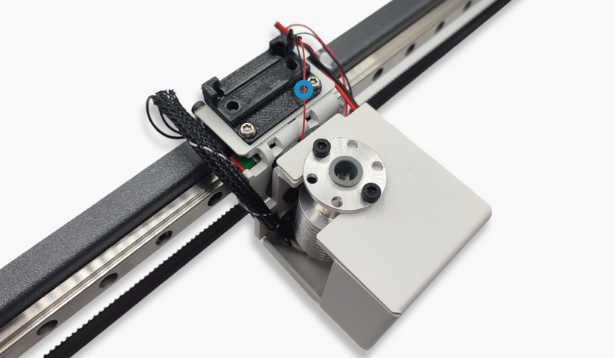
Check FFC connections
1. To loosen the flat cables you can use a flathead screwdriver to carefully apply pressure to the clip.
In order to avoid damaging the board, make sure that you apply pressure to the connection clip and not the PCB.
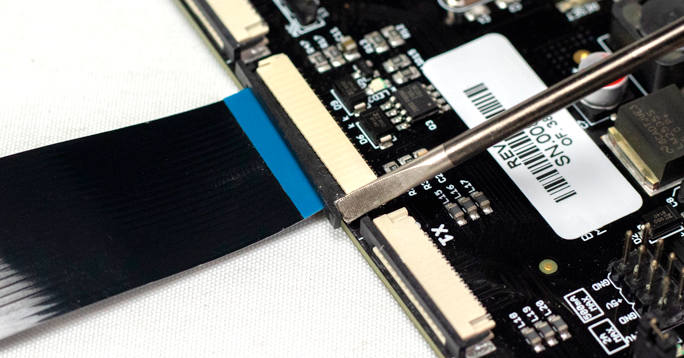
- If your printer has Flat cable clamps, you will need to loosen the screws in order to remove or reconnect the flat cable from the mainboard or the driver.
.png?width=688&name=Dise%C3%B1o%20sin%20t%C3%ADtulo%20(19).png)
.png?width=688&name=Dise%C3%B1o%20sin%20t%C3%ADtulo%20(18).png)
2. To check the cables, remove them from the board they're connected to, and check the condition of the pins and the cable itself.
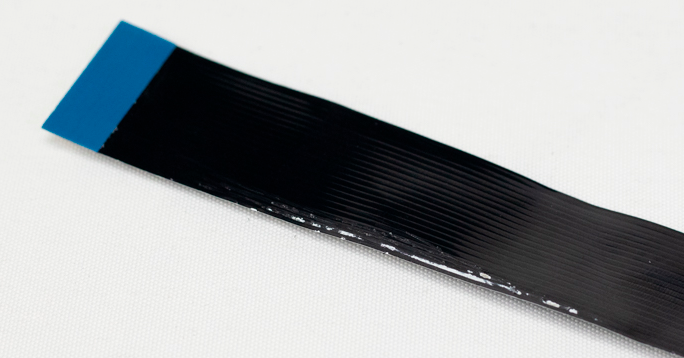
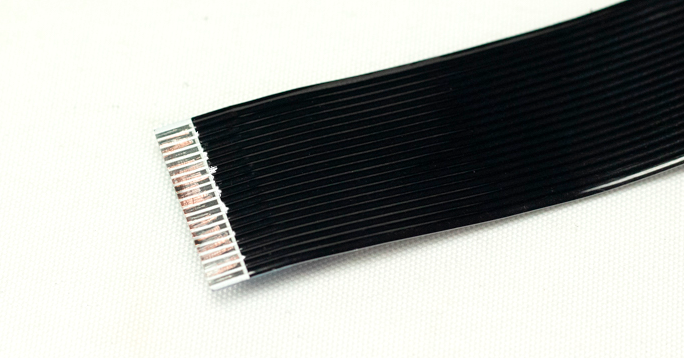
- This problem is more likely to happen on the Y axis flat cable, since if it is not properly installed, it can be damaged by the Y axis rear pulley.
3. When reconnecting the cable, make sure that it is properly connected, as shown here.
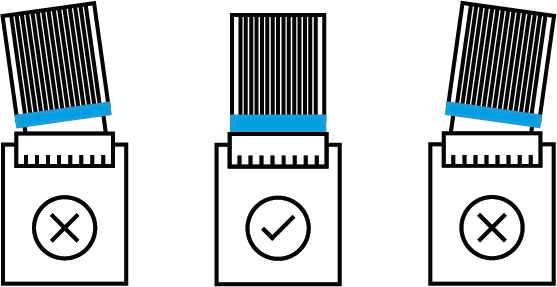
- Note: This problem is more likely to happen in the FFC that are in motion during a print job (X0, X1, H0, H1) Is highly recommended to install the driver spacer with the clamp to avoid this problem.
In case you need to order a new cable you can contact your reseller or our sales department at sales@bcn3d.com. Find the SKU references below.